
From Application to Interview: The Resume Excellence Playbook
Resume Formatting Standards: What Hiring Managers Expect
At Soliant, we advocate for you. Your resume is your professional introduction to hiring managers. Many great candidates miss opportunities because of formatting issues, missing information, or unclear experience. This guide will help ensure your resume clearly and professionally reflects your expertise.
1. Start with a Clean, Professional Format
Hiring managers typically scan resumes quickly. A cluttered format can unintentionally distract from your qualifications.
Best Practices:
- Use a standard font (Calibri, Arial, Times New Roman)
- Font size 10–12 pt
- 0.5–1 inch margins
- Consistent spacing
- Black text only
- Save as a PDF (unless your recruiter requests otherwise)
Avoid:
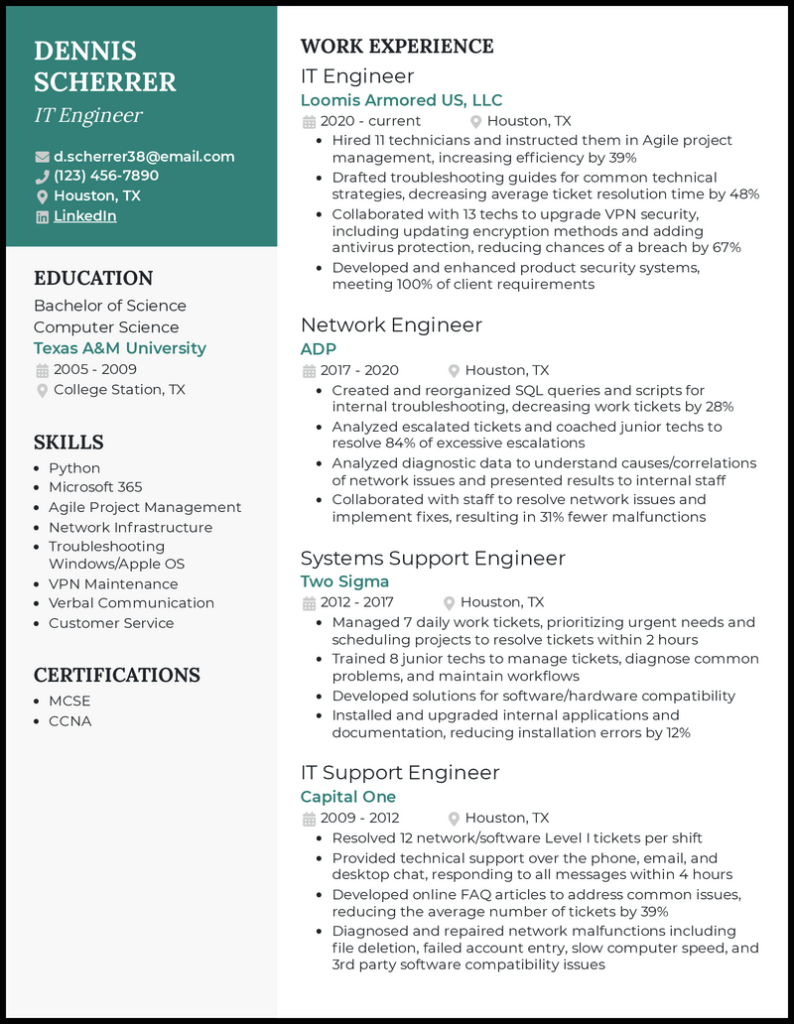
- Tables or columns (they often break when submitted)
- Text boxes
- Graphics or headshots
- Logos or decorative elements
- Colored fonts
- Multiple font styles
If it looks like a flyer, it’s too busy. If it looks like a clean professional document, you’re on the right track.
2. The Essentials
Header
- Full name
- Phone number
- Professional email
- City & state (no full address needed)
- License number (if applicable)
Professional Summary (3–4 lines max)
The professional summary is no longer mandatory. It is strategic.
Some recruiters skip it. Some love it. Some only care if it adds clarity. The key question is not “Should I have one?” It is “Does it help?” Let’s break this down:
When a Professional Summary Helps
- You are changing industries
- You have contract or short-term roles that need context
- You have 10+ years of experience and need positioning
- You want to control your narrative
- Your title alone does not clearly communicate your value
A strong summary quickly answers:
- Who are you?
- What do you specialize in?
- What level are you?
Modern Example: Operations professional with 8+ years leading cross-functional teams in fast-paced environments. Experienced in process optimization, compliance oversight, and stakeholder communication. Known for improving workflow efficiency while maintaining regulatory standards.
3. Experience Section: Be Specific and Results-Focused
List positions in reverse chronological order. For each role, include:
- Job Title
- Organization Name
- City, State
- Month/Year – Month/Year
- 3–6 bullet points
Strong Bullet Point Formula:
Action + Responsibility + Impact
Example:
- Managed a caseload of 45 clients, ensuring timely documentation and compliance with regulatory standards.
- Collaborated with cross-functional teams to improve service delivery efficiency.
Avoid:
- Paragraph blocks
- Vague statements like “Responsible for duties”
- Copying the full job description
- Leaving unexplained employment gaps
Be clear and concise. Your recruiter may help refine the language, but the core information must be accurate and detailed.
4. Licensure, Certifications, & Credentials
- License type
- License number
- State issued
- Expiration date
- Certifications
- Relevant trainings
Hiring managers need to verify eligibility quickly. If this section is unclear or missing, it may delay submission.
5. Education Section
- Degree
- Institution
- Graduation year (or expected graduation date)
- Relevant honors if applicable
6. Skills Section
List relevant hard skills only:
- Software proficiency
- Clinical tools
- Technical competencies
- Language fluency
Avoid generic soft skills like:
- “Hard worker”
- “Team player”
- “Motivated”
Your experience section should demonstrate those qualities.
7. Keep It to 1–2 Pages
- Under 10 years experience: 1 page preferred
- 10+ years: 2 pages max
Longer resumes are rarely read in full. Prioritize relevance.
8. Common Resume Mistakes That Delay Submission
- Spelling or grammar errors
- Inconsistent dates
- Missing contact information
- Missing licensure details
- Unprofessional email address
- Overly complex formatting
- Submitting screenshots instead of documents
- Sending resumes in Google Docs “view only” format
- Submitting a resume that doesn’t match your LinkedIn profile
Before sending, ask yourself: If I were the hiring manager, could I quickly understand my qualifications?
9. How to Partner Effectively with Your Soliant Recruiter
Your recruiter is your advocate. The stronger your materials, the stronger your submission.
- Respond promptly to document requests
- Be transparent about availability
- Communicate preferences clearly
- Update your resume with recent assignments
- Inform us immediately of interviews or offers outside Soliant
A clear resume + clear communication = faster interviews.
10. Final Resume Checklist
Before sending your resume to Soliant, confirm:
☐ Formatting is clean and simple
☐ All dates are consistent and accurate
☐ Licenses and certifications are clearly listed
☐ No spelling or grammar errors
☐ Contact information is current
☐ Saved as a PDF/Word Doc
☐ File name is professional (FirstName_LastName_Resume.pdf)
Resume Best Practices in the Age of AI
Write for humans first.
Old advice said: “Stuff it with keywords.”
But the new reality is that most ATS systems now parse context. Over-stuffing keywords makes resumes feel robotic and lowers credibility. Instead, mirror the job description language where appropriate and naturally integrate relevant keywords.
Use AI wisely.
AI tools can help draft your resume, but always personalize the content. Add real examples, numbers, and specific details. Generic, overly polished language is easy to spot.
Metrics matter more than ever.
Whenever possible, include measurable results (team size, caseload, volume, timelines, efficiency improvements). Specificity stands out.
For example, instead of:
“Managed client relationships.”Use:
“Managed 35+ active client accounts with 98% retention rate.”
Keep formatting ATS-friendly.
Avoid tables, columns, graphics, and decorative templates from Canva. If your resume reads cleanly when pasted into a plain text document, you’re safe.
Align with your LinkedIn profile.
Recruiters frequently cross-check. Your resume and LinkedIn should tell the same story. Not identical. But aligned. Ensure job titles, dates, and responsibilities are consistent across platforms.
Tailoring is no longer optional.
AI tools now score candidates based on alignment with job descriptions.
One generic resume sent to 50 jobs is less effective than:
- 3 tailored versions for 3 types of roles
Candidates should:
- Reorder bullet points for relevance
- Adjust keywords
- Adjust summary
The Soliant Resume Template
Next Steps
At Soliant, we work with organizations that prioritize professionalism, compliance, and efficiency. A strong resume helps us present you as a confident, qualified candidate who is ready to contribute from day one. We are here to help but your resume is the foundation. If you would like resume feedback before submission, let us know. We’re happy to partner with you.

